
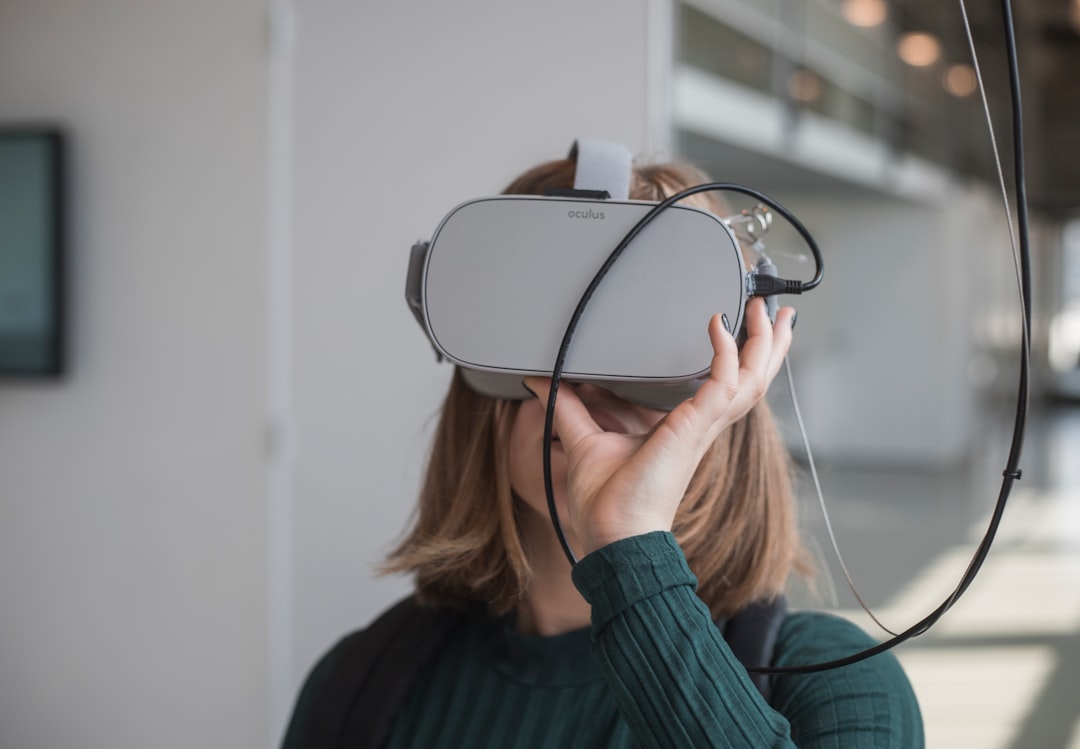

The same game idea can feel completely different in your hand and
inside a virtual world. On a phone, the player expects fast loading,
clear touch controls and short sessions. In virtual reality, that same
player expects spatial presence, comfortable interaction and a stable
frame rate.
This creates an important question for independent developers:
Can one Unity project support both mobile and
VR?
The short answer is yes. A well-structured Unity
project can share its rules, level data, scoring, progression, audio
logic and many visual assets across mobile and VR. However, the input,
camera, interface and performance settings should be treated as separate
platform layers.
The goal is not to force both versions to behave identically. It is
to preserve the identity of the game while giving each platform the
experience it needs.
Start with a
platform-independent gameplay core
Imagine a puzzle in which a cube moves across a grid, reacts to
colors and searches for an exit. None of those rules inherently require
a touchscreen or a VR controller. They describe what the game does, not
how the player gives a command.
That distinction is the foundation of cross-platform development.
Your core systems can contain:
- movement rules;
- level validation;
- score and progression;
- win and failure conditions;
- save data;
- difficulty balancing; and
- reusable audio and visual events.
Keep direct references to touch input, XR controllers and platform
SDKs out of this layer whenever possible. The gameplay core should
receive simple intentions such as MoveForward,
RotateLeft, Select or Pause.
Separate
intent from the device that produced it
Unity’s Input System is useful because an input action represents a
logical command rather than one physical button. A mobile swipe,
keyboard key and VR controller action can all lead to the same gameplay
method.
A small C# interface makes that separation easy to understand:
public interface IGameInput
{
    event System.Action<Vector2Int> MoveRequested;
    event System.Action SelectRequested;
}
The mobile version can implement IGameInput by
translating swipes into grid directions. The VR version can implement
the same interface by translating controller, hand-tracking or gaze
actions. The puzzle system listens to the interface and never needs to
know which device is active.
This pattern reduces duplicated code and makes testing easier. You
can test the game rules in the Unity Editor before connecting either
final control system.
For new projects, Unity recommends its newer Input System rather than
the legacy Input Manager. Developers building XR interactions can also
use the XR Interaction Toolkit as the platform-facing layer.
Use different cameras and
interfaces
Shared gameplay does not mean shared presentation.
A mobile game normally uses one screen camera, touch-friendly buttons
and a layout that adapts to different aspect ratios. A VR game uses two
eye views, tracked head movement and world-space interfaces that must
remain readable without causing discomfort.
For that reason, use separate scene prefabs or presentation roots,
for example:
MobileRigfor the mobile camera, safe-area UI and touch
input;XRRigfor the headset camera, spatial UI and XR
interaction; andGameCorefor shared rules, levels and progression.
Only the rig required by the active build should load. This keeps the
scene easier to understand and prevents mobile-only objects from adding
unnecessary work to the VR build—or the reverse.
Build for the
strictest performance target
Mobile and standalone VR devices are both performance-sensitive, but
VR introduces an additional challenge: the scene must be rendered from
two viewpoints while head movement stays responsive.
Begin with a simple, efficient visual baseline:
- use a sensible polygon budget;
- combine or instance repeated objects;
- limit transparent materials and expensive full-screen effects;
- bake lighting when real-time lighting is not essential;
- reduce shadow distance and shadow resolution where possible;
- pool frequently spawned objects; and
- profile on the actual phone and headset early.
Unity’s single-pass instanced stereo mode can substantially reduce
CPU work compared with multi-pass stereo rendering. In the Universal
Render Pipeline, separate quality profiles can also let the mobile and
VR versions use different render scale, shadow and post-processing
settings without changing the game’s visual direction.
Performance should not be an emergency step at the end. It is part of
the game’s design.
Use
Build Profiles and conditional compilation carefully
Unity 6 Build Profiles can store platform-specific build
configuration for Android, iOS and Meta Quest. This is useful when the
project needs different scenes, scripting symbols or quality settings
for each destination.
Platform-dependent C# should be kept small and explicit:
#if USE_XR_BUILD
    xrServices.Initialize();
#elif UNITY_IOS || UNITY_ANDROID
    mobileServices.Initialize();
#endif
Conditional compilation is appropriate for store services,
achievements, advertising, platform permissions and SDK initialization.
It should not become the main architecture of the game. If every
gameplay script contains a forest of #if blocks, the shared
core is no longer truly shared.
What should
be shared—and what should stay separate?
| Usually shared | Usually platform-specific |
|---|---|
| Game rules and state | Touch, controller, hand or gaze input |
| Level data | Camera rig and player viewpoint |
| Scoring and progression | Screen-space or world-space UI |
| Save-data model | Store, ads and achievement SDKs |
| Audio events | Performance and quality profiles |
| Art direction and reusable assets | Comfort settings and platform permissions |
This is the practical answer to the original question: one
Unity project can support mobile and VR when the project shares the
game, not the interface.
A game
idea should adapt without losing its identity
At Blekol Games, Cubus demonstrates how a puzzle idea can move
between immersive VR and mobile play. The relationship is not simply a
change in screen size. Touch input changes the rhythm of a move. VR
changes scale, presence and the way the player reads space. The rules
may be familiar, but the interaction must feel native to the device.
That is the real value of a cross-platform architecture. It lets a
small studio spend more time improving the puzzle, progression and
atmosphere while still respecting the strengths of each platform.
If you enjoy intelligent spatial puzzles, discover Cubus for
Android and iOS and see how the concept feels in your hands. You can
also explore Cubus 2:
Colors VR and the rest of the studio’s VR experiences at Blekol Games.
Further reading for Unity
developers
- Input
in Unity 6 - Create
and manage Build Profiles - Conditional
compilation in Unity - Introduction
to stereo rendering
Featured image credit: Photo by Maxim Hopman on Unsplash.
Leave a Reply
You must be logged in to post a comment.